Airbnb digital guidebook: what to put in it, and how to get guests to read it
Every host knows the five messages. WiFi. The door code. The bins. Checkout time. "Where's good to eat near here?"
A digital guidebook exists to answer those before they are asked. Most guidebooks fail not because they are missing information, but because the guest never opens them. This guide covers both: what to put in, and how to make sure it gets read.
What an Airbnb digital guidebook is
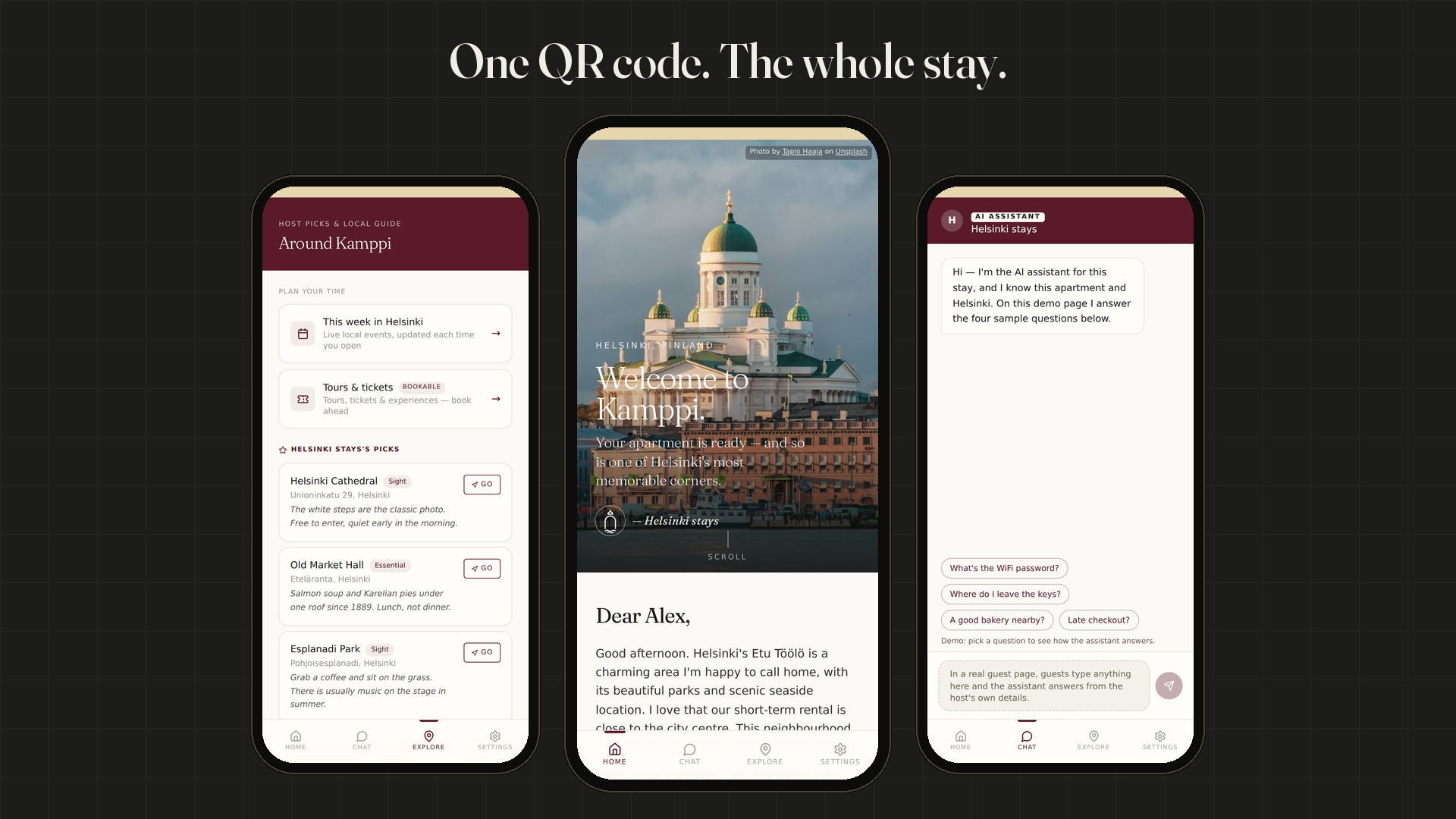
A digital guidebook is a web page (or small app) with everything a guest needs for the stay: arrival, the apartment, house rules and the neighbourhood. It replaces the printed binder on the kitchen table and the long welcome message that gets buried in the Airbnb thread.
Airbnb has its own guidebook feature for local recommendations. It is useful for places to eat and see, but it does not hold private details like door codes, and it lives inside the Airbnb app. Most hosts pair it with something more complete.
The checklist: what to include
Before arrival
- Address with a map link that opens straight into the guest's navigation app
- Check-in time and how early luggage drop is possible, if at all
- Parking or the nearest public transport stop
- One line on what the building looks like from the street
Arrival (show only to the booked guest)
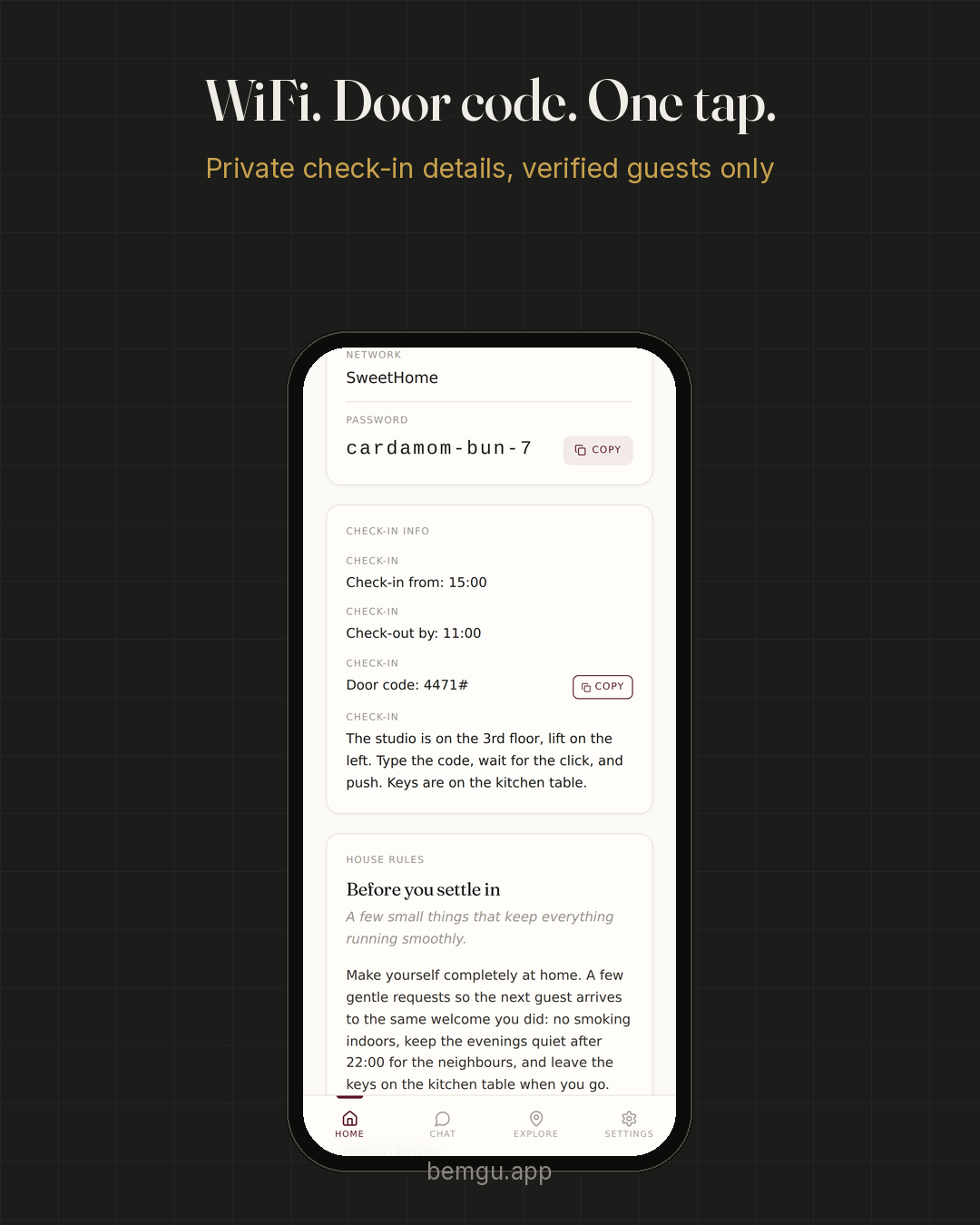
- Door or key-box code
- Step-by-step entry: which door, which floor, which lift
- WiFi network and password, ideally as one tap to copy
The apartment
- How the heating, hot water and coffee machine work
- Where spare towels, bedding and the first-aid kit are
- Bins and recycling: which bin, where, and which day
House rules
- Quiet hours, smoking, guests, pets
- Keep it short and polite. Five rules read better than twenty.
The neighbourhood
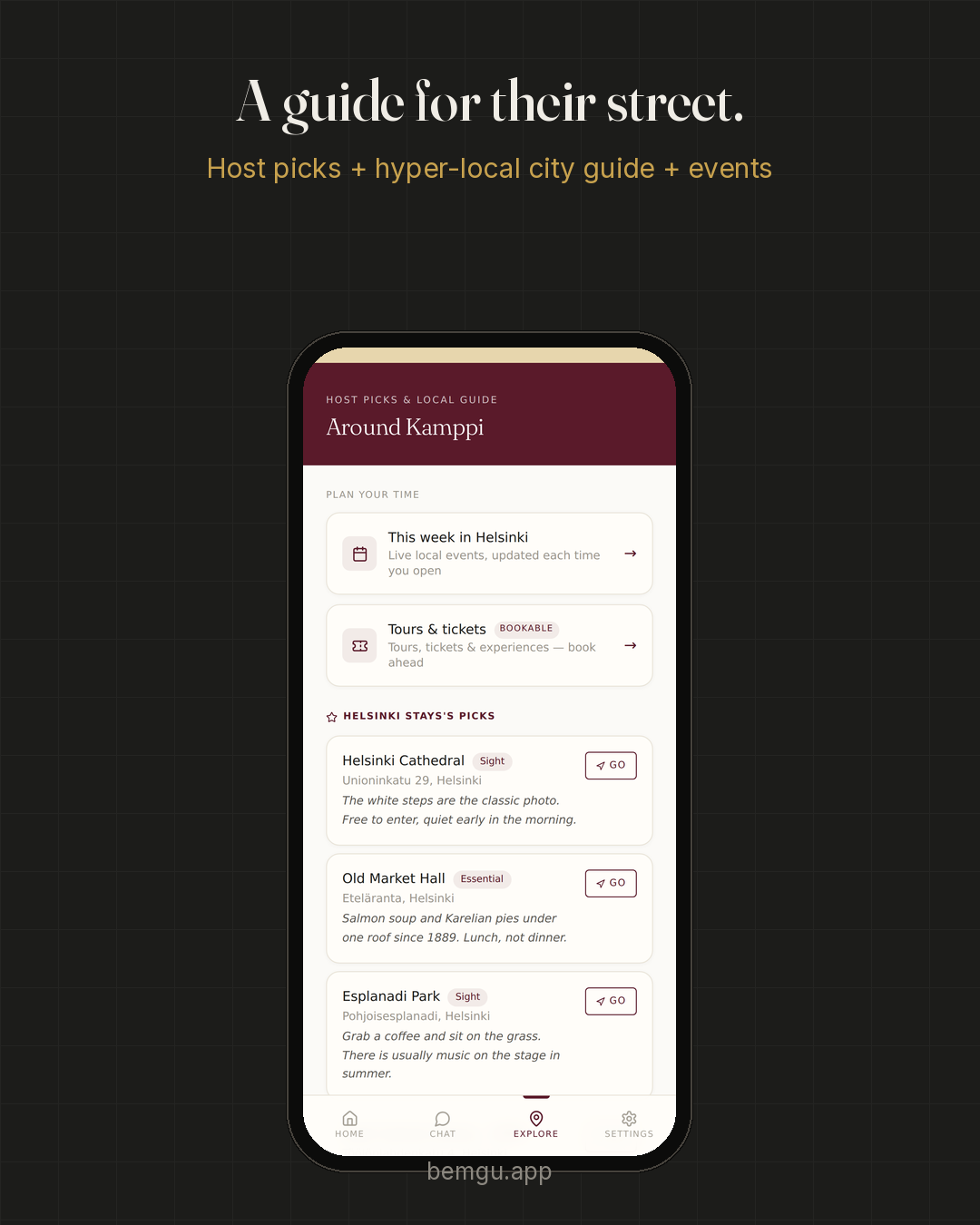
- Your own five favourite places, with one sentence each on why
- A pharmacy, a supermarket and a late-night option
- What's on during the stay: markets, concerts, events
Checkout
- Time, where to leave keys, what to do with towels and dishes
What to leave out
- Long paragraphs. Guests read on a phone, standing in a stairwell. Short lines win.
- Private details on a public page. Door codes and WiFi should only be visible to the guest who booked, and ideally only from check-in day.
- Things nobody asks. If a guest has never messaged about it, it probably doesn't need its own section.
How to get guests to actually open it
The best guidebook is worthless if it sits behind a link nobody taps. Three habits make the difference:
- Send it before arrival. Guests plan in the weeks before a trip. A page that reaches them then gets opened; one that appears at the door competes with a tired arrival.
- Put a QR code in the apartment. A small printed card by the door or on the fridge catches anyone who missed the link.
- Make it look like yours. A page with your name and colours reads as part of the stay, not as a vendor's app.
Printed binder, PDF or digital page?
| Printed binder | Digital page | ||
|---|---|---|---|
| Update a detail | Reprint | Re-send | Edit once |
| Guest has it before arrival | No | If they find it | Yes, by link |
| Private codes protected | No | No | Yes, if the tool supports it |
| Works on a phone | — | Poorly | Yes |
How Bemgu does it
Bemgu gives hosts a branded guest page delivered by one QR code. The host imports the listing, prints the card, and adds one line to the Airbnb welcome message. Guests get WiFi, check-in details, house rules, a guide for their exact street, the host's own picks and live local events, and can book tours and tickets ahead. Door code and WiFi stay hidden until check-in day. No app for the guest to install. see a live demo guest page
FAQ
Do guests need to download an app for a digital guidebook?
Not with a web-based guidebook. It opens in any phone browser from a link or a QR code.
Should the WiFi password be in the guidebook?
Yes, but only visible to the booked guest, ideally from check-in day. Avoid putting it on a page anyone with the link can see.
How long should an Airbnb guidebook be?
As short as possible. Cover arrival, the apartment, rules, the neighbourhood and checkout. If a section never prevents a guest message, cut it.
Does a digital guidebook work for Booking.com and Vrbo guests?
Yes. The page itself works for any guest. How you send the link differs by platform; a QR code in the apartment works for all of them.